> ## Documentation Index
> Fetch the complete documentation index at: https://docs.thinkrr.ai/llms.txt
> Use this file to discover all available pages before exploring further.
# Margin Settings
> Margin Settings in the thinkrr Voice AI platform empower Agency accounts to define custom markups on the price of minutes purchased by their Sub-accounts (clients).
## Overview
This feature allows agencies to generate additional profit from pay-as-you-go minute purchases while ensuring transparent pricing for their clients. Let’s explore how **Margin Settings** work and how to configure them effectively.
thinkrr Voice AI uses a dual-tier minute system: **Premium minutes at \$0.16/min** and **Basic minutes at \$0.09/min**. Agencies earn profit based on markups applied to the underlying base cost of each tier.
## Markup for Sub-Accounts
Agencies can set a markup on the base price charged by thinkrr.ai. This markup determines the final price per minute paid by Sub-accounts when purchasing additional minutes.
For example:
* **Thinkrr.ai Base Price**: \$0.16/min (Premium)
* **Agency Markup**: \$0.7/min
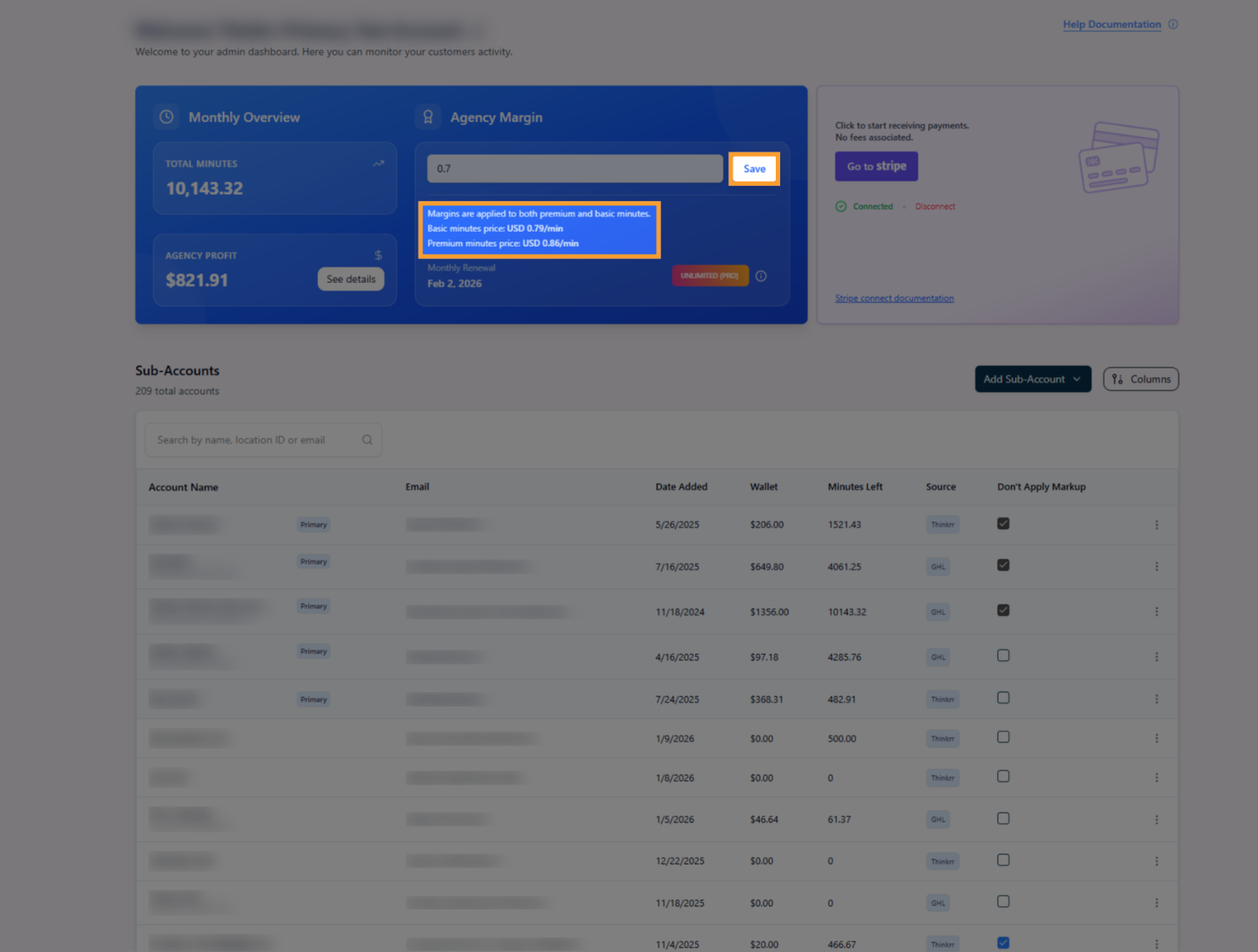
* **Final Price to Sub-Accounts**: \$0.86/min
The agency retains the markup amount (USD\$0.7 per minute in this case) as profit. Profits are accumulated and paid out via Stripe once they reach a minimum threshold of \$100.
## Configuring Margin Settings
Agency admins can manage markup settings from the Agency homepage within the thinkrr Voice AI platform. Here’s how:
Log in to your Agency Admin account and navigate to the Agency homepage.
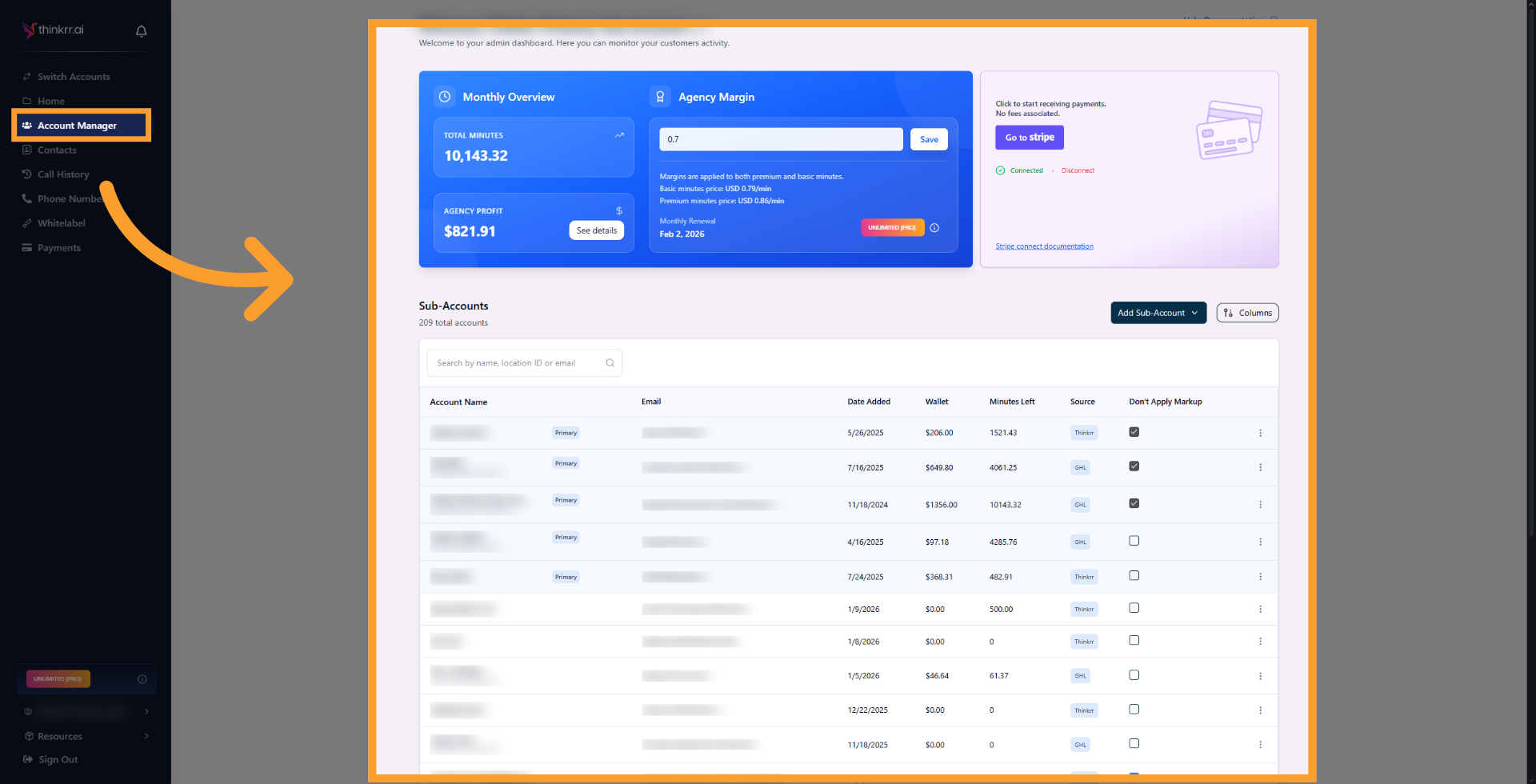 * Locate the field labeled **“Amount to Charge Sub-Account.”**
* Enter the desired markup amount in USD. For example, entering **\$0.7** will add \$0.7 to the base price, making the final price **\$0.86** per minute for Sub-accounts.
* Locate the field labeled **“Amount to Charge Sub-Account.”**
* Enter the desired markup amount in USD. For example, entering **\$0.7** will add \$0.7 to the base price, making the final price **\$0.86** per minute for Sub-accounts.
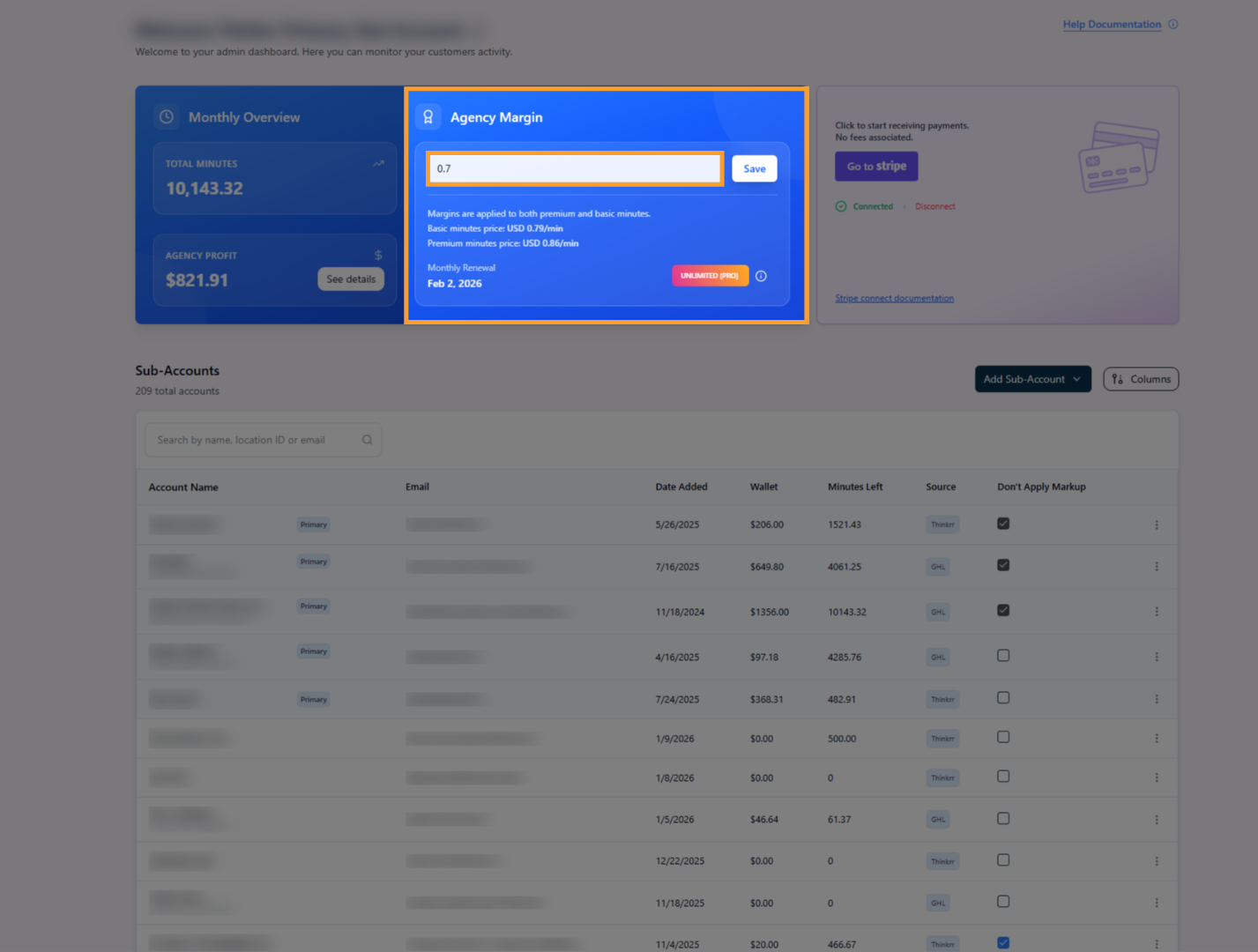 Click **Save** to apply the new markup. Changes take immediate effect for all applicable Sub-accounts.
 ## Default Pricing and Exceptions
* **Base Price for Primary Sub-Account**:
The agency's primary working sub-account is always charged the **live base price in effect at the end of the call**, typically **\$0.16/min** for Premium minutes. This behavior cannot be changed.
* **Customizing Sub-Account Pricing**:
Agency admins can decide if a specific sub-account is charged the base price or the marked-up price:
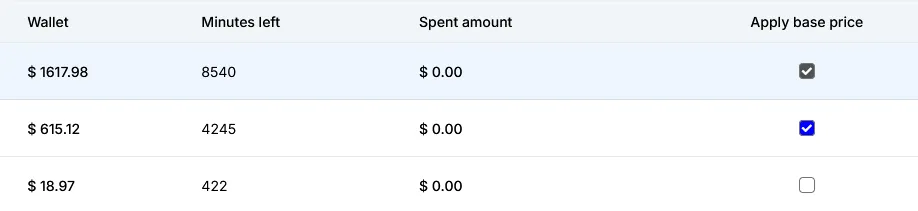
* A radio checkbox labeled **“Apply Base Price”** is available for each sub-account.
* If checked, the sub-account will be charged **whatever the real-time base price is**, bypassing the markup.
## Default Pricing and Exceptions
* **Base Price for Primary Sub-Account**:
The agency's primary working sub-account is always charged the **live base price in effect at the end of the call**, typically **\$0.16/min** for Premium minutes. This behavior cannot be changed.
* **Customizing Sub-Account Pricing**:
Agency admins can decide if a specific sub-account is charged the base price or the marked-up price:
* A radio checkbox labeled **“Apply Base Price”** is available for each sub-account.
* If checked, the sub-account will be charged **whatever the real-time base price is**, bypassing the markup.
 ## Sub-Account Transparency
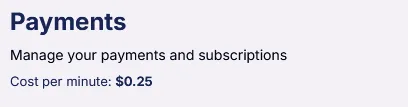
Sub-accounts will see the markup price prominently displayed on their **Payments** page. This ensures clarity for clients regarding the cost of purchasing additional minutes.
## Sub-Account Transparency
Sub-accounts will see the markup price prominently displayed on their **Payments** page. This ensures clarity for clients regarding the cost of purchasing additional minutes.
 ## FAQs & Troubleshooting
### General Questions
The standard base price is \$0.16 per minute for Premium minutes or \$0.09 per minute for Basic minutes.
Only Agency Admin accounts can set and adjust the markup price for associated Sub-accounts.
Not yet. The markup price is applied uniformly to all Sub-accounts unless the **“Apply Base Price”** option is selected for a specific Sub-account.
### Configuration
From the Agency homepage, locate the “Amount to Charge Sub-Account” input to set your desired markup.
Yes. Changes take immediate effect for all active Sub-accounts unless exempted via the base price setting.
That Sub-account will be charged the real-time base rate (e.g., \$0.16/min Premium or \$0.09/min Basic), bypassing your markup.
### Usage and Results
Sub-accounts can view their pricing on the **Payments** screen, under the “Price Per Minute” section.
thinkrr automatically tracks profit margins in real time. Payouts are issued via Stripe once the agency hits the \$100 threshold.
***
For additional questions or guidance, try using our [**Virtual Support Agent**](/Thinkrr-Support-Agent)! Available 24/7 to help resolve most issues quickly at [thinkrr.ai/support](https://thinkrr.ai/support).
If you still need assistance, visit our support site at [help.thinkrr.ai](http://help.thinkrr.ai) and submit a [Ticket](/Support-Ticket-System) or contact our team directly at [hello@thinkrr.ai](mailto:hello@thinkrr.ai).
## FAQs & Troubleshooting
### General Questions
The standard base price is \$0.16 per minute for Premium minutes or \$0.09 per minute for Basic minutes.
Only Agency Admin accounts can set and adjust the markup price for associated Sub-accounts.
Not yet. The markup price is applied uniformly to all Sub-accounts unless the **“Apply Base Price”** option is selected for a specific Sub-account.
### Configuration
From the Agency homepage, locate the “Amount to Charge Sub-Account” input to set your desired markup.
Yes. Changes take immediate effect for all active Sub-accounts unless exempted via the base price setting.
That Sub-account will be charged the real-time base rate (e.g., \$0.16/min Premium or \$0.09/min Basic), bypassing your markup.
### Usage and Results
Sub-accounts can view their pricing on the **Payments** screen, under the “Price Per Minute” section.
thinkrr automatically tracks profit margins in real time. Payouts are issued via Stripe once the agency hits the \$100 threshold.
***
For additional questions or guidance, try using our [**Virtual Support Agent**](/Thinkrr-Support-Agent)! Available 24/7 to help resolve most issues quickly at [thinkrr.ai/support](https://thinkrr.ai/support).
If you still need assistance, visit our support site at [help.thinkrr.ai](http://help.thinkrr.ai) and submit a [Ticket](/Support-Ticket-System) or contact our team directly at [hello@thinkrr.ai](mailto:hello@thinkrr.ai).